
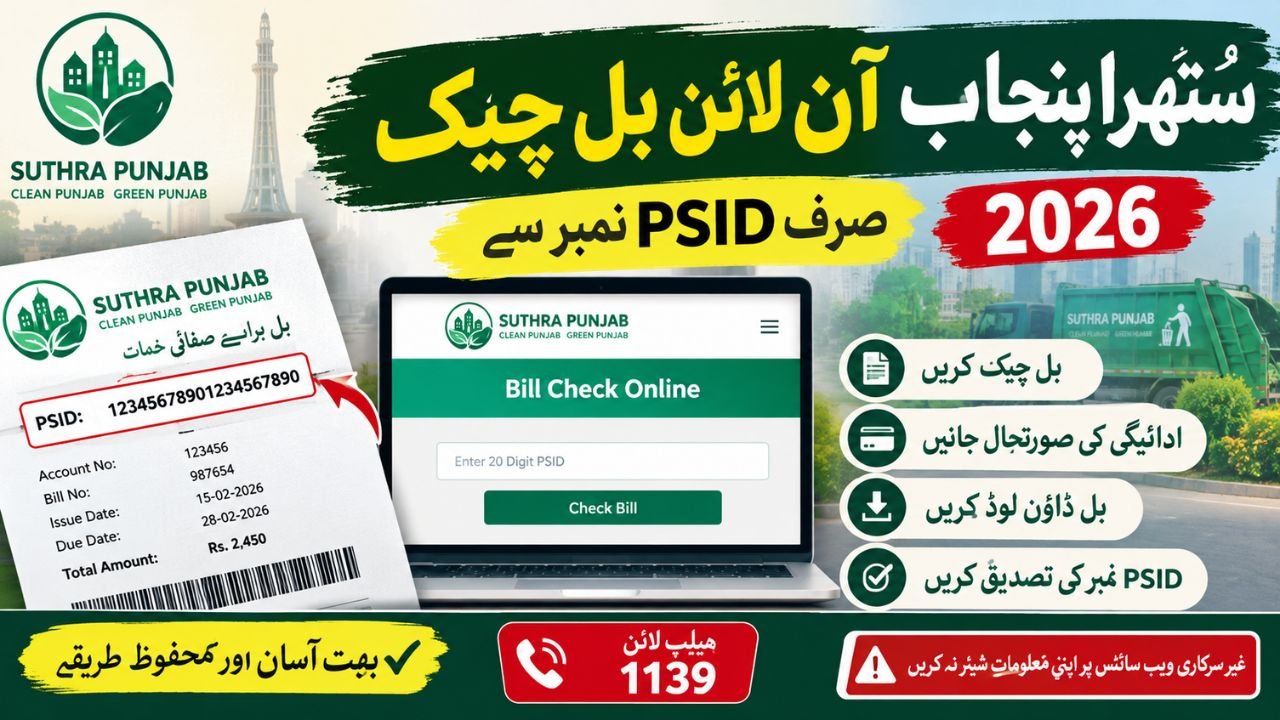
Suthra Punjab Online Bill Check by PSID 2026 – Payment Status, Bill Verification and Online Payment Guide
Suthra Punjab Online Bill Check by PSID 2026
Checking your Suthra Punjab bill online can help you confirm your sanitation bill details without visiting a government office. In 2026, the official Suthra Punjab website provides a Bill Check Online facility where citizens can enter the 20-digit PSID printed on their bill to verify the record.
Suthra Punjab is a Punjab Government sanitation and waste-management initiative designed to improve cleanliness in cities, towns and other communities. If you have received a bill and want to check the payable amount, understand the PSID system or find out what to do when your bill does not appear online, this guide explains the process in simple English.
This article covers Suthra Punjab online bill check by PSID, bill payment status, challan verification, bill downloads, payment guidance and common problems. Always confirm your actual bill details through the official portal because billing availability and payment instructions may depend on the record issued to you.
What Is Suthra Punjab and Why Is Online Bill Checking Important?
Suthra Punjab is a province-wide cleanliness and waste-management program. Its public service channels include sanitation complaint registration, complaint tracking, office information and online bill verification. The official portal also lists 1139 as the helpline for cleanliness-related support.
Online bill verification can help residents avoid confusion about an issued bill and check its record before making a payment. It is particularly useful when someone has misplaced the printed bill, wants to confirm the PSID or needs assistance with a billing-related complaint.
The Punjab Government’s official website describes the broader Suthra Punjab initiative, while the dedicated service portal provides citizen-facing options. These are different functions: information about the program explains its purpose, whereas the bill-check facility is intended for checking an individual bill.
Suthra Punjab Online Bill Check by PSID – Step-by-Step Process

Step 2: Find your PSID
Check your current printed bill for the PSID, which identifies the payment record. The official Suthra Punjab portal specifies a 20-digit PSID for its bill-check process. Carefully distinguish it from other numbers printed on the document.
Step 3: Enter the PSID and check the record
Type the number exactly as shown on the bill, then follow the instructions displayed on the official page. If a record appears, review the available bill information before proceeding.
Step 4: Review the result and save your details
Compare the displayed information with your printed bill. Keep the bill or payment receipt for reference, especially if you need to contact the helpline about an incorrect amount or an unrecognised payment.
These steps follow the PSID-based verification method described on the official portal. The exact fields and available options should be confirmed on the live website.
Suthra Punjab Bill Check Online: What Information Can You Verify?
After opening the official bill-check facility, enter your PSID and review the information returned by the portal. The purpose of Suthra Punjab bill check online is to help citizens verify an issued sanitation bill rather than rely on estimates or information from unofficial websites.
The information available may depend on your particular bill and the current portal functionality. Before paying, check the bill reference, payable amount and any displayed due date. If a field is missing or the record does not match your printed document, contact the official helpline instead of assuming that the bill has been cancelled or paid.

Suthra Punjab PSID Bill Check Online
A PSID, or Payment Slip ID, is an identifier associated with a payment record. For Suthra Punjab, the official website instructs citizens to use the 20-digit PSID printed on their current sanitation bill. This is the key detail needed for the online bill inquiry.
When performing a Suthra Punjab PSID bill check online, enter the number carefully and follow the instructions shown on the official page. Do not confuse the PSID with your CNIC, mobile number or another reference printed on the bill. If you have received more than one bill, use the PSID from the specific bill you want to check.
offichail website ; https://suthra.punjab.gov.pk/bill-check.php
Suthra Punjab Online Payment Check by PSID
Citizens who want a Suthra Punjab online payment check by PSID should first verify the bill and then follow the payment instructions currently displayed by the official service. A successful bill lookup does not automatically mean that a payment has been completed.
After paying, keep the transaction receipt or confirmation message. If the amount has been deducted from your account but the bill still appears unpaid, retain the transaction reference and contact the relevant payment provider or Suthra Punjab support for verification.
Suthra Punjab Bill Payment Status Check
The Suthra Punjab bill payment status check is important for residents who have already paid their sanitation charges or want to confirm whether a bill remains outstanding. Check the official portal for any available payment-status information and compare it with your payment receipt.
| Situation | What you should do |
|---|---|
| Bill details appear | Review the record and payable amount. |
| Bill shows unpaid | Check your bank or wallet receipt before making another payment. |
| Payment was deducted | Keep the transaction ID and request verification. |
| PSID is not recognised | Recheck the number and confirm that the bill was issued. |
| Amount looks incorrect | Contact the official support channel for billing guidance. |
These are general troubleshooting steps, not a guarantee that every status will be displayed on the portal. A payment can take time to reconcile, so avoid paying twice until you have checked the original transaction.
Suthra Punjab PSID Payment Status
For a Suthra Punjab PSID payment status inquiry, use the reference printed on your bill and the payment confirmation supplied by your bank or payment service. If the official page provides a status result, read it carefully and save a record for future reference.
The PSID should be treated as a bill or payment reference, not as proof of payment by itself. A receipt or confirmed transaction is important when you need to demonstrate that you have paid the amount.
Suthra Punjab Bill Online Check by PSID Number
The Suthra Punjab bill online check by PSID number is intended for people who already have a bill or its payment identifier. If you are checking a family property, make sure you are using the correct bill rather than a number copied from another household’s document.
If you rent your home, ask the property owner or relevant billing office for clarification when the bill is issued under another person’s details. Do not enter your CNIC or financial information into a third-party website simply because it claims to offer a faster lookup.
Suthra Punjab Challan Check Online
A Suthra Punjab challan check online and a sanitation bill inquiry may not always refer to the same service. A sanitation bill relates to charges shown on a billing document, whereas a challan may refer to a separate demand or penalty.
Before making a payment, check the document title, reference number, issuing authority and reason for the charge. Do not assume that every Suthra Punjab challan can be checked through the same PSID facility used for sanitation bills.
If the official website does not offer the relevant challan category, contact the department named on the document. This helps prevent payments being made against the wrong reference.
Suthra Punjab Bill Download by PSID
Citizens searching for a Suthra Punjab bill download by PSID should first open the official bill-check page and see whether it provides a download or print option. The availability of a downloadable copy can vary according to the online service and the record being checked.
If the bill is available on screen, use the website’s own print or download function if provided. You can also keep the original printed bill or contact the issuing department to request another copy.
Suthra Punjab PSID Number Check Online
A Suthra Punjab PSID number check online is useful when you want to confirm that the number on your bill is entered correctly. The official portal specifies a 20-digit PSID for its bill-check service.
If the number is rejected, check every digit against the original document. Do not add digits from a different reference or use a guessed number. If the problem continues, ask the official support team to confirm the bill record.
Suthra Punjab Payment Verification Online
For Suthra Punjab payment verification online, use the official billing service and your bank or wallet transaction history together. The bill record helps identify the charge, while your transaction receipt helps establish whether a payment was submitted.
If the payment record has not updated, keep the following information available when requesting help:
- The PSID printed on the bill.
- The payment date and amount.
- The transaction ID or receipt.
- A copy of the bill and any relevant confirmation message.
Share these details only through the appropriate official support channel. Never disclose your banking PIN, password or one-time verification code to someone claiming to verify a payment.
Suthra Punjab Bill Status Check Online: Common Problems
A Suthra Punjab bill status check online may not return a result every time. The problem may be related to an incorrectly entered PSID, a newly issued bill, a temporary website issue or a record that requires departmental confirmation.
If your bill is not found, try the following steps:
- Compare the PSID with the original bill and re-enter it carefully.
- Confirm that you are using the official Suthra Punjab website.
- Try again later if the page is temporarily unavailable.
- Keep a copy of the bill and note the issue you encountered.
- Contact the official helpline on 1139 for guidance about billing or sanitation services. Clean Punjab Program+1
Do not assume that a missing online record means that you owe nothing. Confirm the position with the issuing department before ignoring a bill or its due date.
Suthra Punjab Online Bill Payment
The Suthra Punjab online bill payment process should be followed according to the instructions provided by the official billing service. Do not assume that every payment channel supports every type of sanitation bill.
Punjab’s ePay Punjab platform explains the general government-payment process: users select an available service, generate or obtain the relevant PSID and pay through a supported channel. However, its general payment instructions refer to a 17-digit PSID for that platform, while the Suthra Punjab bill-check page specifies a 20-digit PSID. These references should not be treated as interchangeable. Follow the instructions for your particular Suthra Punjab bill.
Before submitting any payment, confirm the service name and amount. If the Suthra Punjab payment option is unavailable in a banking app or wallet, contact the relevant department instead of choosing an unrelated service.
Suthra Punjab PSID Generate and Check
People searching for Suthra Punjab PSID generate and check should understand that checking an existing bill is different from generating a new payment identifier. The official bill-check page asks users to enter the PSID printed on the current bill; it does not establish that every citizen can generate a new PSID directly from that page.
If you have not received a bill, first contact the issuing department or use the official portal to find the available billing support option. Do not generate a payment reference through an unrelated website or pay an estimated amount without official instructions.
Suthra Punjab E-Bill Check Online
The Suthra Punjab e-bill check online facility provides a digital route for checking an issued bill. It is useful for residents who want to verify their record without relying entirely on a paper copy.
The broader municipal e-billing system was reported by The News in December 2025, when Punjab officials announced the integration of 229 local government bodies into the system. That report describes the wider digital billing initiative; it should not be interpreted as confirmation that every service or payment method was available to every citizen at that time.
For a current bill, use the dedicated Suthra Punjab portal and follow the instructions displayed there. If the online facility does not return your record, request help from the official billing authority.
Suthra Punjab Sanitation Bill and Service Charges
The sanitation bill relates to charges associated with the government’s cleanliness and waste-management arrangements. The amount applicable to a property should be confirmed from its official bill and the current rules for the relevant property category.
Avoid relying on an old bill or an article published in a previous year to decide how much you owe today. Billing schedules, collection arrangements and applicable charges can change, so the current document and official notifications should take priority.
Suthra Punjab Service Charges Bill Check
If you want to complete a Suthra Punjab service charges bill check, start with the PSID on your bill and review the amount shown by the official service. If the charge seems inconsistent with your property category or the details on your document, request clarification before making assumptions.
Keep any written response or complaint reference. It can help the department investigate a billing discrepancy and gives you a record of your request.
Suthra Punjab Bill Payment Through PSID
A Suthra Punjab bill payment through PSID should be made only through a payment method officially supported for that bill. Depending on the service available, the department may direct users to an online portal or another authorised payment channel.
After submitting a payment, save the receipt and check the transaction status. If the transaction fails, verify whether money was deducted before trying again. This simple precaution can help prevent duplicate payments and make it easier to resolve an issue.
Suthra Punjab Duplicate Bill Download
If you have lost your bill, look for an official print or download option after checking the PSID. If the portal does not provide a duplicate copy, contact the relevant billing office and ask how to obtain one.
A previous receipt may help identify the old payment reference, but it may not represent the current amount due. Always confirm the latest bill and its due date before paying.
How to Check Suthra Punjab Bill Online by PSID: Quick Summary
The simplest way to check a Suthra Punjab bill online by PSID is to open the official portal, locate the bill-check facility and enter the 20-digit PSID printed on your bill. Review the information returned and use the official instructions for payment or further assistance.
If your record is missing, the amount appears incorrect or a payment has not been reflected, contact the official helpline rather than relying on an unverified third-party service.
2025 vs 2026: What Changed in Suthra Punjab Billing?
The program’s administration and billing arrangements have developed over time, so older information should not automatically be treated as current.
| Period | Verified information | What readers should understand |
|---|---|---|
| 2025 | Punjab’s municipal e-billing system was publicly reported in December 2025, including the integration of 229 local government bodies.  The News | Digital billing was being expanded across local government services. |
| February 2026 | The Suthra Punjab Authority Act 2026 received the Governor’s assent on February 25, 2026, according to the official Punjab Gazette. LGCD Punjab | The program gained a statutory authority framework. |
| 2026 | The official Suthra Punjab portal specifies a 20-digit PSID for its bill-check service. Clean Punjab Program | Use the reference and instructions printed on your own current bill. |
| October 2026 | ProPakistani reported on October 2 that sanitation-fee collection was beginning and that an online payment facility was expected to become available by October 15. ProPakistani | As of October 9, 2026, the reported future date should not be treated as proof that every online payment option is already active. Check the live official portal. |
The key distinction is that a change in the program’s legal framework does not, by itself, prove that the PSID format, bill amount or payment process has changed. For these details, use the current official service and the actual bill issued to you.
Important Note for Suthra Punjab Bill Users
- Use the official Suthra Punjab portal for bill verification.
- Check the PSID and payable amount against your original bill.
- Do not assume that a bill has been paid simply because you entered its PSID.
- Keep payment receipts and transaction references.
- Do not pay cash without the appropriate official bill or receipt.
- For billing guidance, use the official helpline 1139.
- Verify current charges and deadlines through official notices rather than relying on outdated articles.